

LangChain 最近发布了 LangGraph Studio,可视化调试 LangGraph。LangGraph 是个 Agent 工作流系统,支持多 Agent 交互,主要包括以下特性:
- 不同于 DAG,LangGraph 支持循环与分支。
- 在图形的每个步骤运行完成之后自动保存状态。可以随时暂停和恢复图形的执行,支持错误恢复、人工干预等等。
- 支持暂停图形的执行,可以编辑任意节点的提示词。
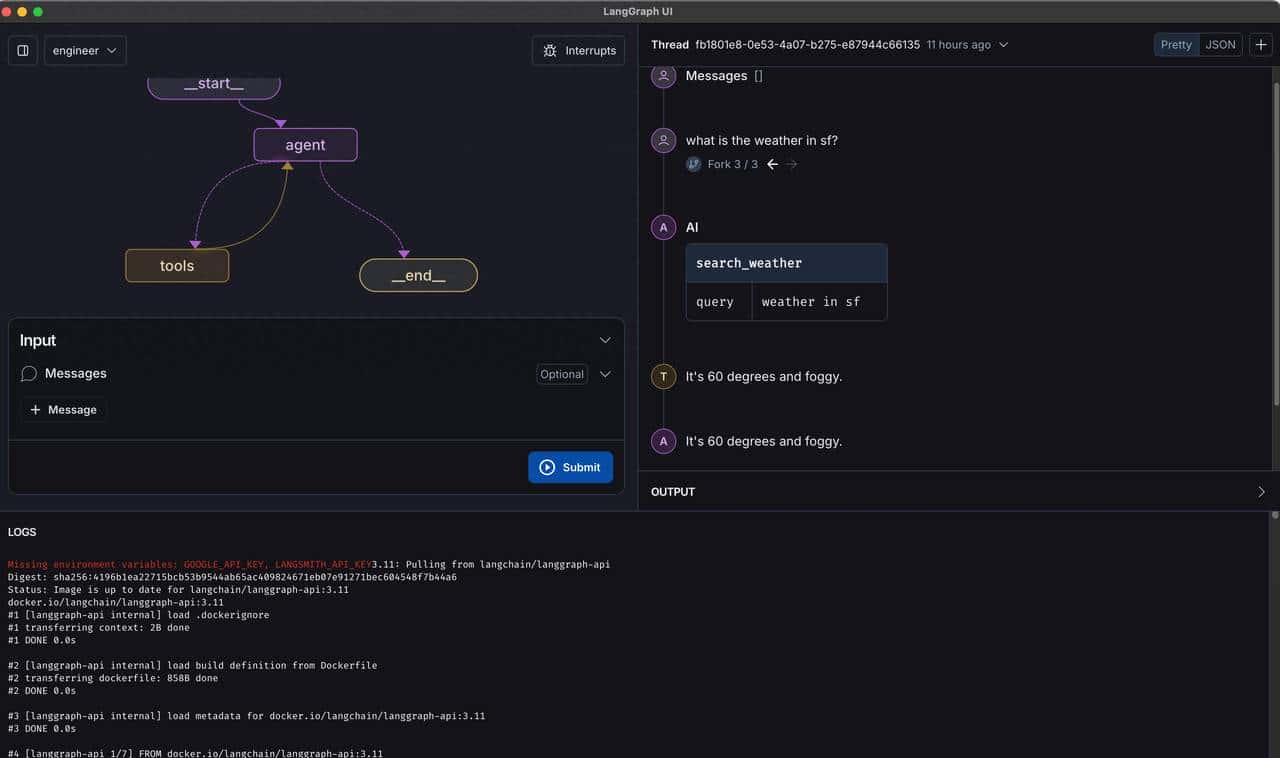
创建项目
启动 LangGraph Studio 之前需要定义定义两个文件
- Graph 定义文件
创建一个 Python 文件,在 Python 文件中定义 LangGraph,这里用了官方的一个简单示例,创建一个查询天气的测试函数,代码比较简单,LLM 使用的 Gemini。Python文件中需要定义 graph=workflow.compile(),否则启动会报错。
from typing import Literal

from langchain_google_genai import ChatGoogleGenerativeAI
from langchain_core.tools import tool
from langgraph.graph import END, StateGraph, MessagesState
from langgraph.prebuilt import ToolNode

@tool
def search_weather(query: str):
    """Call to surf the web."""
    # This is a placeholder, but don't tell the LLM that...
    if "sf" in query.lower() or "san francisco" in query.lower():
        return "It's 60 degrees and foggy."
    return "It's 90 degrees and sunny."


tools = [search_weather]
tool_node = ToolNode(tools)
model = ChatGoogleGenerativeAI(model="gemini-1.5-flash-latest").bind_tools(tools)

# Define the function that determines whether to continue or not
def should_continue(state: MessagesState) -> Literal["tools", END]:
    messages = state['messages']
    last_message = messages[-1]
    # If the LLM makes a tool call, then we route to the "tools" node
    if last_message.tool_calls:
        return "tools"
    # Otherwise, we stop (reply to the user)
    return END


# Define the function that calls the model
def call_model(state: MessagesState):
    messages = state['messages']
    response = model.invoke(messages)
    # We return a list, because this will get added to the existing list
    return {"messages": [response]}


workflow = StateGraph(MessagesState)
workflow.add_node("agent", call_model)
workflow.add_node("tools", tool_node)
workflow.set_entry_point("agent")
workflow.add_conditional_edges(
    "agent",
    should_continue,
)
workflow.add_edge("tools", 'agent')
graph=workflow.compile()- JSON 配置文件
创建配置文件 langgraph.json
{
  "python_version": "3.11",
  "dockerfile_lines": [],
  "dependencies": [
    "."
  ],
  "graphs": {
    "engineer": "./src/agent/test.py:graph"
  },
  "env": "/Users/hawk/workspace/projects/llm/langstudio1/.env"
}
启动 LangGraph Studio
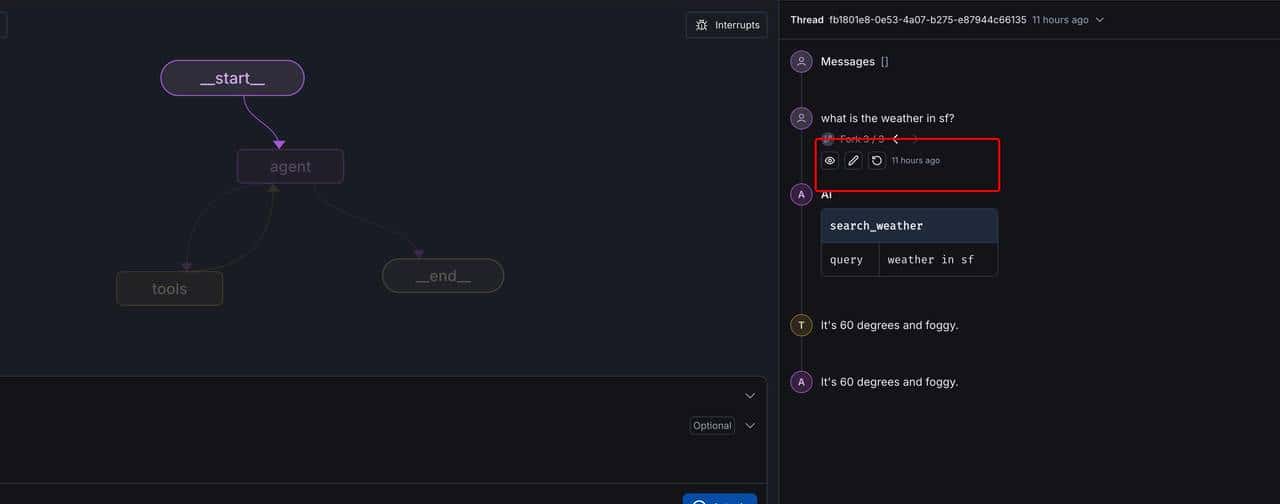
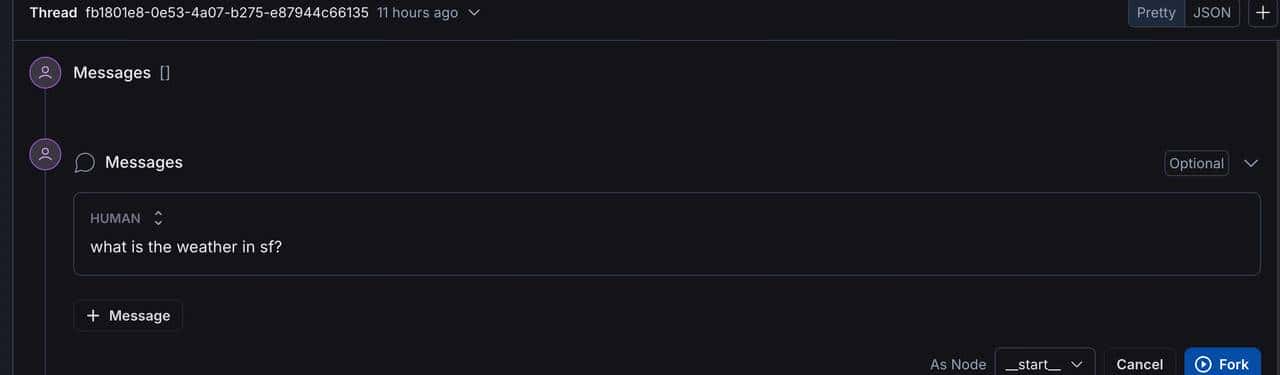
点击修改,可以直接修改提示词,点击 Fork 重新执行 Graph。
总结
LangGraph Studio 挺好用的工具,启动稍慢,要等一下,LangGraph Studio 基于容器,需要下载 LangChain Studio 和 Postgres 镜像。代码已经上传
https://github.com/sjwan/langchainstudio
© 版权声明
文章版权归作者所有,未经允许请勿转载。如内容涉嫌侵权,请在本页底部进入<联系我们>进行举报投诉!
THE END

















暂无评论内容