

1. 准备工作
一台装有openwrt的, 带有无线网卡的路由器
一台cr6606或cr660x路由器
一台windows电脑
一根网线
2.openwrt路由器设置

3.解锁ssh
3.1 降级系统, 打开路由器设置页面, 系统设置, 手动升级。(如果买回来没升级过, 可跳过此步骤)
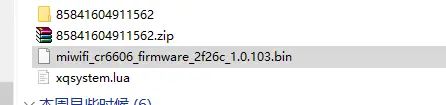

3.2 降级完成后, 设置完成后, 打开路由器设置首页
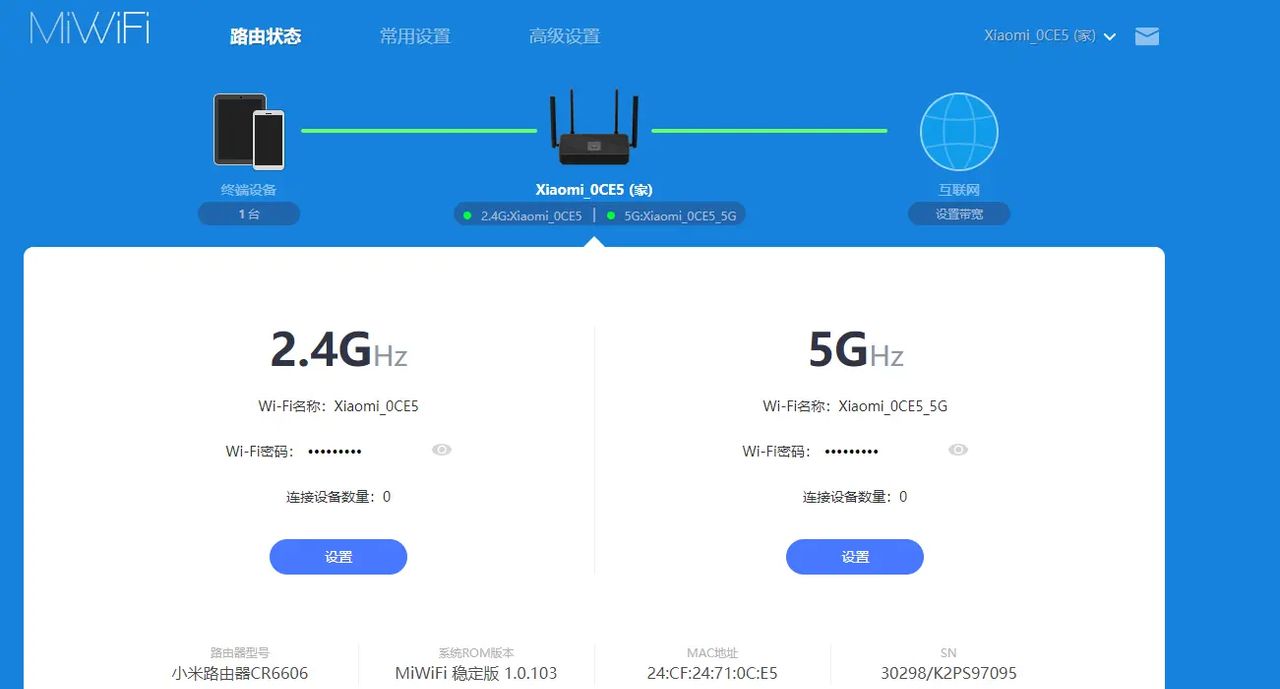
3.3复制浏览器地址栏,得到类似以下地址
http://192.168.31.1/cgi-bin/luci/;stok=3a1dfecafba226ad8fc8a5780652933a/web/home#router
3.4 从地址中取得stok值, 列如我的值为
3a1dfecafba226ad8fc8a5780652933a
3.5 在地址栏输入以下地址
注意替换自己的stok, wifi名称, wifi密码
http://192.168.31.1/cgi-bin/luci/;stok=<stok>/api/misystem/extendwifi_connect?ssid=<ssid>&password=<password>
列如我的情况如下
http://192.168.31.1/cgi-bin/luci/;stok=3a1dfecafba226ad8fc8a5780652933a/api/misystem/extendwifi_connect?ssid=abcd&password=12345678
等待网页返回此内容
{"msg":"connect succces!","code":0}
3.6 在地址栏输入以下地址
注意替换自己的stok
http://192.168.31.1/cgi-bin/luci/;stok=<stok>/api/xqsystem/oneclick_get_remote_token?username=xxx&password=xxx&nonce=xxx
列如我的情况如下
http://192.168.31.1/cgi-bin/luci/;stok=3a1dfecafba226ad8fc8a5780652933a/api/xqsystem/oneclick_get_remote_token?username=xxx&password=xxx&nonce=xxx
等待网页返回此内容
{"token":"; nvram set ssh_en=1; nvram commit; sed -i s/channel=.*/channel=u0022debugu0022/g /etc/init.d/dropbear; /etc/init.d/dropbear start;","code":0}
3.7 计算ssh密码
打开路由器管理页面, 复制sn码, 右下角
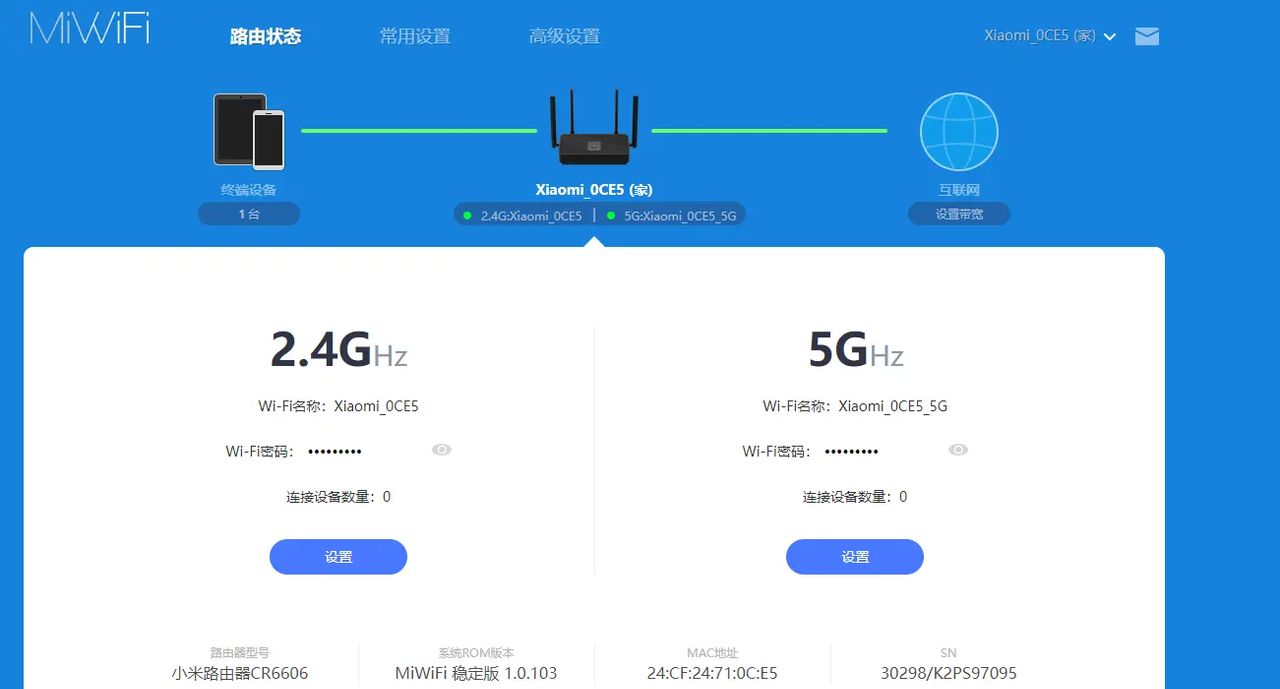
打开以下页面,输入sn码,计算ssh密码
https://www.oxygen7.cn/miwifi/
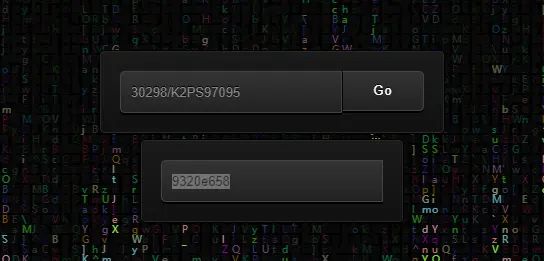
复制密码
3.8 使用putty工具登录ssh
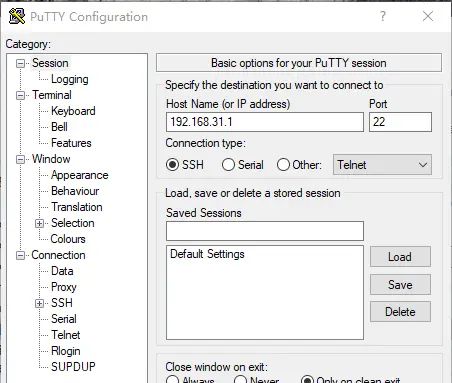
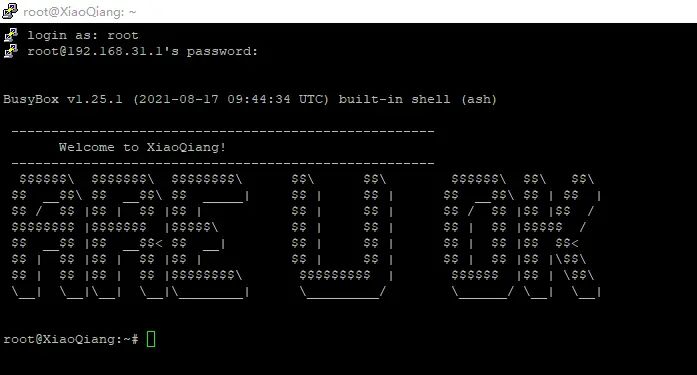
4. 刷入pbboot, cr6606需要, 其他版本路由器跳过
4.1 使用scp工具上传pb.img文件
注意pb-boot.img存放地址,这个需要修改为自己的
scp "C:UsersduanDownloadspb-boot.img" root@192.168.31.1:/tmp/
4.2 刷入pb-boot
使用putty登录ssh后,输入以下命令
cd /tmp
mtd -r write /tmp/pb-boot.img Bootloader
等待路由器重启,耐心等待,橙色等常亮时,拔电源
4.3刷入breed
- 用针插入路由器reset孔,并插电,等待橙色等闪烁,松开针,电脑打开192.168.1.1
-
选择breed文件,选择刷入,并等待

4.4 刷入cr6608 pboot
-
等待上一步完成,并刷新192.168.1.1网页,在bootloader选择cr6608的pbboot, 并点击上传且刷入
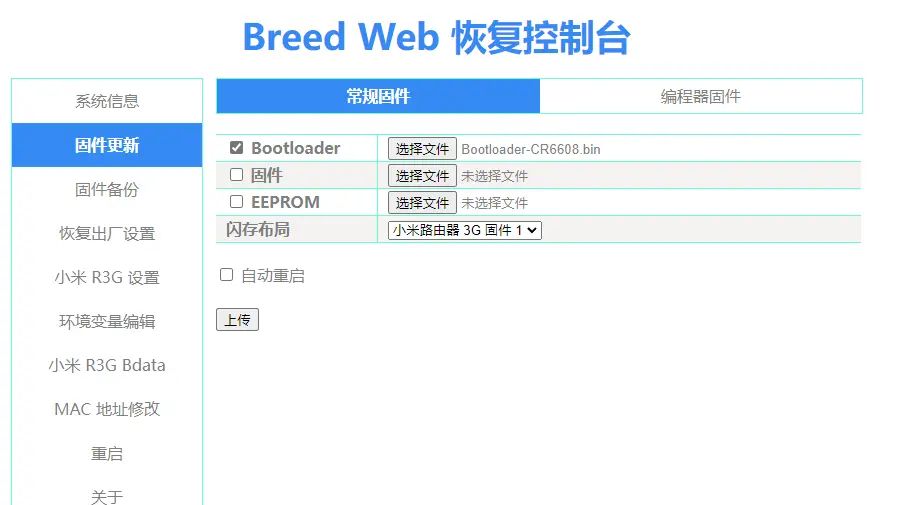
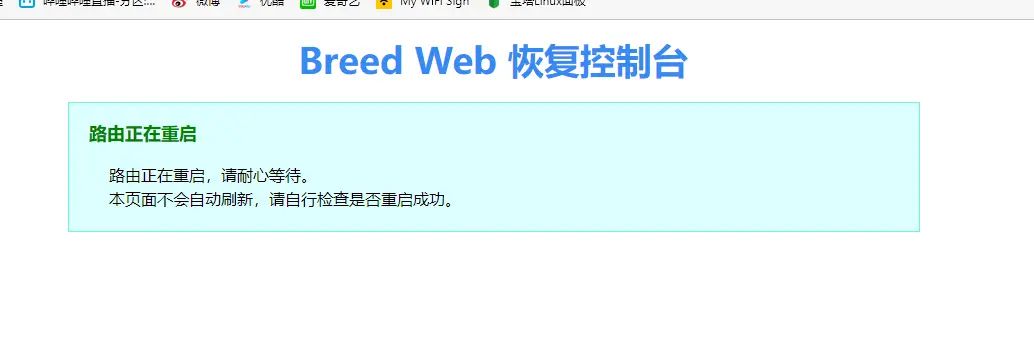
-
耐心等待, 等待橙色灯常亮
5. 刷入ax1800系统
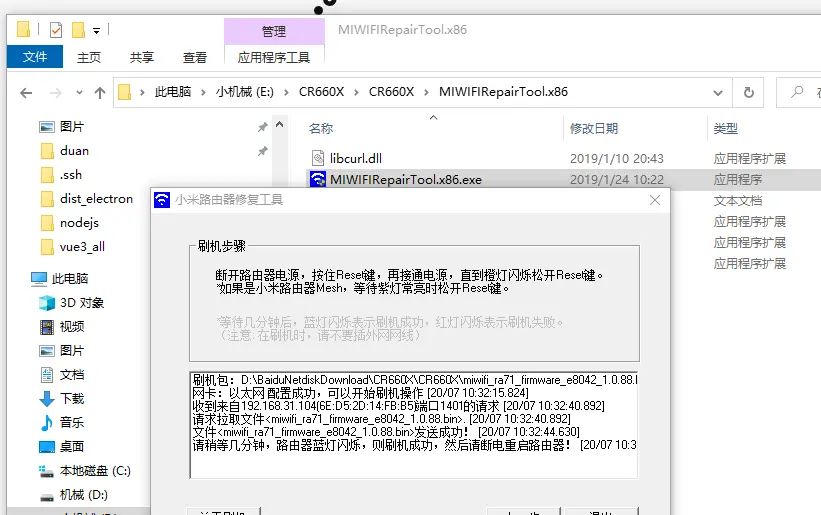
5.1 打开小米路由器修复工具, 选择ax1800固件, 选择以太网口, 下一步
5.2 用针插入路由器reset孔,并插电,等待橙色等闪烁,松开针,等待工具自动刷入完成
© 版权声明
文章版权归作者所有,未经允许请勿转载。如内容涉嫌侵权,请在本页底部进入<联系我们>进行举报投诉!
THE END



















- 最新
- 最热
只看作者