

方法一:使用 imageframe 命令
1、在命令行输入 “imageframe” 后按回车键,此时命令行中会显示当前 imageframe 变量的值,默认为 1,表明显示并打印图像边框:

图1 未操作前图片图框为红色
2、将其值改为0,再按回车键,即可去除图片边框。若想仅在打印时不显示边框,可将值设为2。(备注:图框值取值范围为0-2):
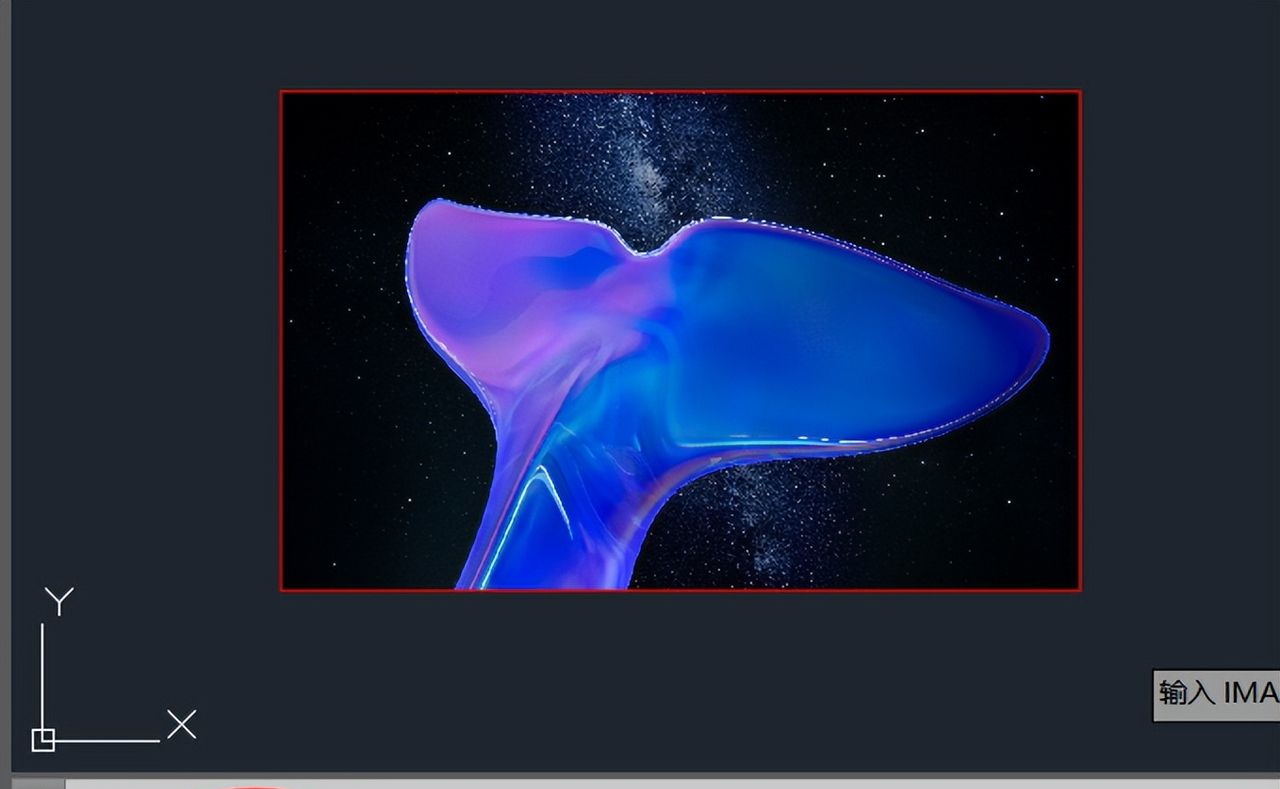
图2 设置imageframe值为0
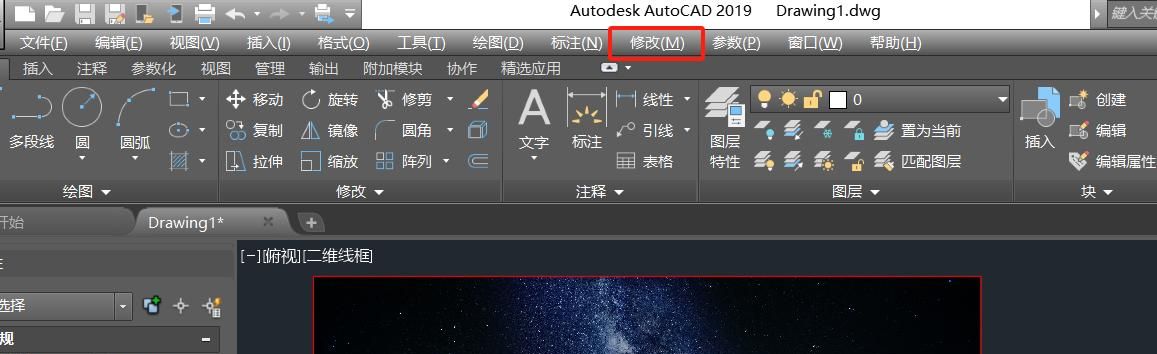
图3 回车后图片边框消失
方法二:通过 “修改” 菜单操作
1、点击 “插入” 按钮插入图片后,在菜单栏点击 “修改” 按钮,在下拉菜单中找到 “对象” 选项并点击:
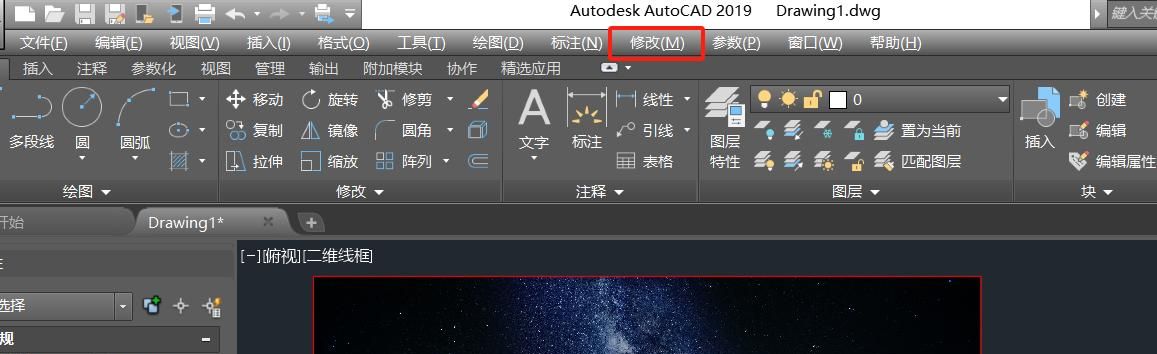
图4 “修改”按钮位置
2:在出现的可选择功能菜单中,用鼠标指着 “图像” 选项,然后自动弹出 “图像” 的功能选择,点击最下方的 “边框” 按钮:
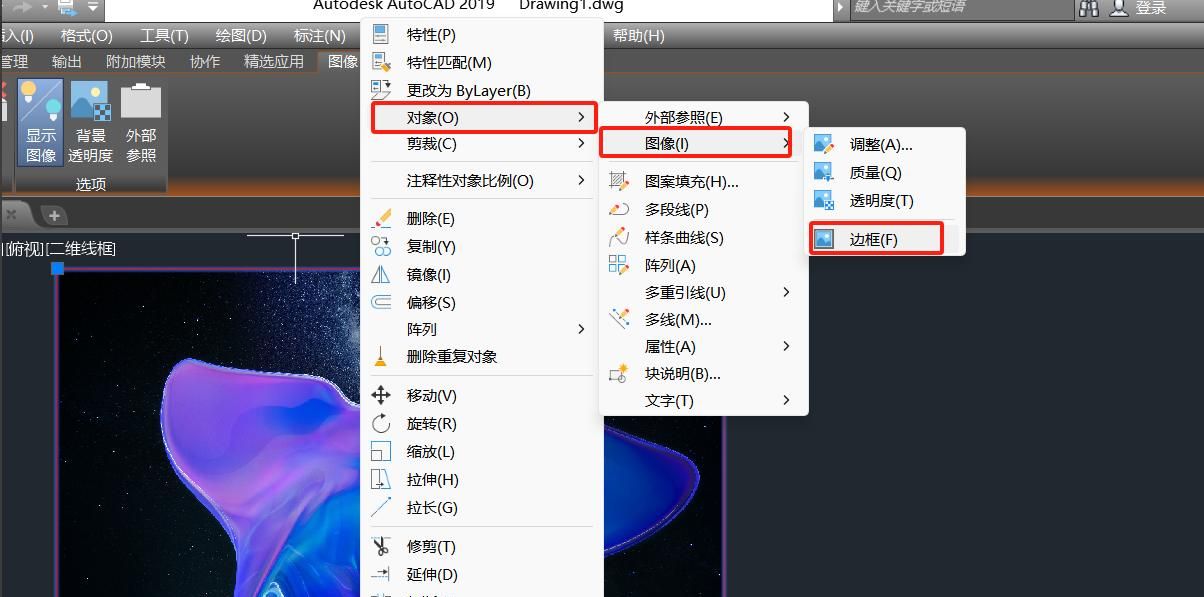
图5 “修改”按钮位置
3、 点击边框按钮后,在命令栏中输入命令的新值 “0”,然后点击回车键:
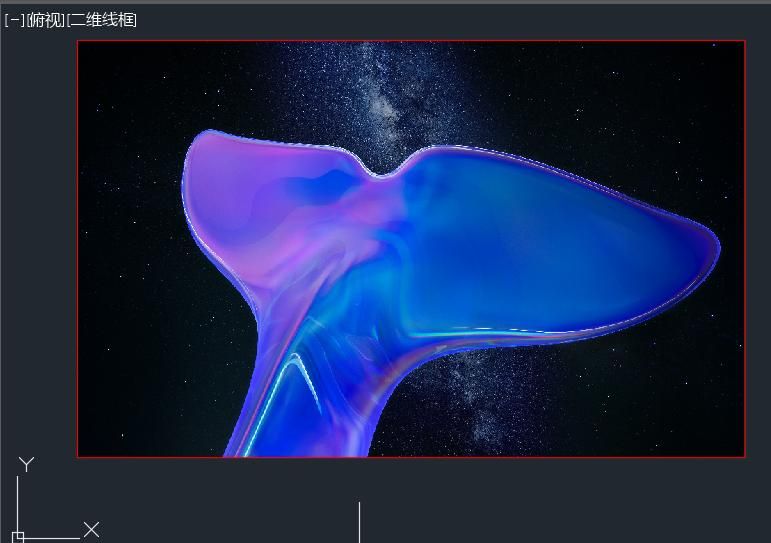
图6 设置imageframe值为0
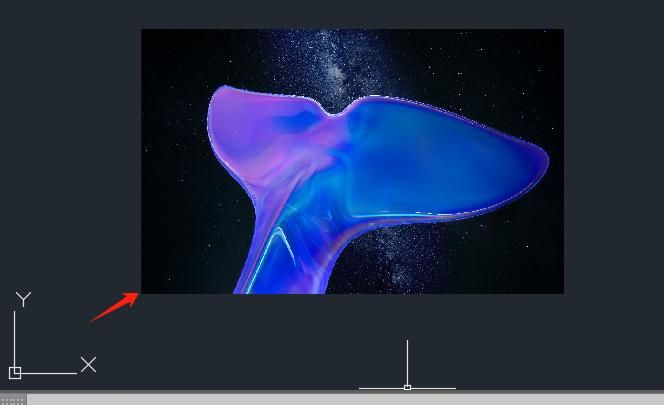
图7 回车后图片边框消失
PS:如果你觉得我的方法有用,记得关注收藏点赞哦!
#pgc-card .pgc-card-href { text-decoration: none; outline: none; display: block; width: 100%; height: 100%; } #pgc-card .pgc-card-href:hover { text-decoration: none; } /*pc 样式*/ .pgc-card { box-sizing: border-box; height: 164px; border: 1px solid #e8e8e8; position: relative; padding: 20px 94px 12px 180px; overflow: hidden; } .pgc-card::after { content: ” “; display: block; border-left: 1px solid #e8e8e8; height: 120px; position: absolute; right: 76px; top: 20px; } .pgc-cover { position: absolute; width: 162px; height: 162px; top: 0; left: 0; background-size: cover; } .pgc-content { overflow: hidden; position: relative; top: 50%; -webkit-transform: translateY(-50%); transform: translateY(-50%); } .pgc-content-title { font-size: 18px; color: #222; line-height: 1; font-weight: bold; overflow: hidden; text-overflow: ellipsis; white-space: nowrap; } .pgc-content-desc { font-size: 14px; color: #444; overflow: hidden; text-overflow: ellipsis; padding-top: 9px; overflow: hidden; line-height: 1.2em; display: -webkit-inline-box; -webkit-line-clamp: 2; -webkit-box-orient: vertical; } .pgc-content-price { font-size: 22px; color: #f85959; padding-top: 18px; line-height: 1em; } .pgc-card-buy { width: 75px; position: absolute; right: 0; top: 50px; color: #406599; font-size: 14px; text-align: center; } .pgc-buy-text { padding-top: 10px; } .pgc-icon-buy { height: 23px; width: 20px; display: inline-block; background: url(https://lf3-cdn-tos.bytescm.com/obj/cdn-static-resource/pgc/v2/pgc_tpl/static/image/commodity_buy_f2b4d1a.png); }
正版《东周列国志》全新书籍
¥37.7
购买
<script src=”//mp.toutiao.com/mp/agw/mass_profit/pc_product_promotions_js?item_id=7470353481237283343″></script>
















- 最新
- 最热
只看作者