

文章目录
前言拓扑图拓扑结构核心场景要求
ISIS 基础配置以 R1 的配置举例配置说明
配置举例R1R2R3R4查询 ISIS 状态查询路由和验证
总结资料获取
前言
ISIS 最初是国际标准化组织 ISO 为它的无连接网络协议 CLNP 设计的一种动态路由协议。随着 TCP/IP 协议的流行,为了提供对 IP 路由的支持,IETF 在相关标准中对 IS-IS 进行了扩充和修改,使它能够同时应用在 TCP/IP 和 OSI 环境中,称为集成 ISIS(Integrated IS-IS 或 Dual IS-IS)。
ISIS使用最短路径优先SPF(Shortest Path First)算法进行路由计算,收敛速度快,拓展性强,运行在数据链路层,抗攻击能力强,可以实现大规模网络的互通
拓扑图
拓扑结构
骨干区域 Area10 与非骨干区域 Area20 通过 Level-1-2 路由器 R2 实现互联,具体连接关系如下:R1(骨干区域)通过 GigabitEthernet0/0/0 接口连接 R2R2(区域边界)分别通过 GigabitEthernet0/0/0、0/0/1、0/0/2 接口连接 R1、R3、R4R1 直连一台服务器,R3、R4 为非骨干区域终端路由器
核心场景要求
区域划分:R1 归属骨干区域 Area10,R2、R3、R4 归属非骨干区域 Area20设备级别:R1 为 Level-2 路由器,R3、R4 为 Level-1 路由器,R2 为 Level-1-2 路由器(负责区域间路由转发)功能目标:实现骨干区域与非骨干区域路由互通,非骨干区域设备可 Ping 通服务器

ISIS 基础配置
以 R1 的配置举例
#
sysname R1
#
isis 10
 is-level level-2
 network-entity 10.0000.0000.0001.00
 import-route direct
#
interface Ethernet0/0/1
 ip address 192.168.100.1 255.255.255.0
#
interface GigabitEthernet0/0/0
 description To-[R2]
 ip address 192.168.10.1 255.255.255.252
 isis enable 10
 isis circuit-type p2p

#
sysname R1
#
isis 10 # 设置ISIS进程
 is-level level-2  # 定义为Level-2设备
 network-entity 10.0000.0000.0001.00  # 区域10,System ID:0000.0000.0001
 import-route direct  # 引入直连路由(含服务器路由)

# 接口配置
interface Ethernet0/0/1  # 连接服务器接口
 ip address 192.168.100.1 255.255.255.0

interface GigabitEthernet0/0/0  # 连接R2接口
 description To-[R2]
 ip address 192.168.10.1 255.255.255.252
 isis enable 10  # 使能IS-IS进程10
 isis circuit-type p2p  # 配置为P2P接口
配置说明
这些是 ISIS 的必须要的配置
isis 10
is-level level-2
ISIS 网络中三种不同级别的路由设备:一般来说,将 Level-1 路由设备部署在区域内,Level-2 路由设备部署在区域间,Level-1-2 路由设备部署在 Level-1 和 Level-2 路由设备的中间。
network-entity 10.0000.0000.0001.00
格式为 X…X.XXXX.XXXX.XXXX.00,前面的“X…X”是区域地址,中间的 12 个“X”是设备的 System ID,最后的“00”是 SEL。即
10
0000.0000.0001
00
isis enable 10
isis circuit-type p2p
配置举例
R1
#
sysname R1
#
isis 10
 is-level level-2
 network-entity 10.0000.0000.0001.00
 import-route direct
#
interface Ethernet0/0/1
 ip address 192.168.100.1 255.255.255.0
#
interface GigabitEthernet0/0/0
 description To-[R2]
 ip address 192.168.10.1 255.255.255.252
 isis enable 10
 isis circuit-type p2p
R2
#
sysname R2
#
isis 10
 network-entity 20.0000.0000.0002.00
 is-level level-1-2
#
interface GigabitEthernet0/0/0
 description To-[R1]
 ip address 192.168.10.2 255.255.255.252
 isis enable 10
 isis circuit-type p2p
#
interface GigabitEthernet0/0/1
 description To-[R3]
 ip address 192.168.20.1 255.255.255.252
 isis enable 10
 isis circuit-type p2p
#
interface GigabitEthernet0/0/2
 description To-[R4]
 ip address 192.168.30.1 255.255.255.252
 isis enable 10
 isis circuit-type p2p
R3
#
sysname R3
#
isis 10
 is-level level-2
 network-entity 20.0000.0000.0003.00
#
interface GigabitEthernet0/0/1
 description To-[R2]
 ip address 192.168.20.2 255.255.255.252
 isis enable 10
 isis circuit-type p2p
R4
#
sysname R4
#
isis 10
 is-level level-2
 network-entity 20.0000.0000.0004.00
#
interface GigabitEthernet0/0/2
 description To-[R2]
 ip address 192.168.30.2 255.255.255.252
 isis enable 10
 isis circuit-type p2p
查询 ISIS 状态
# 在R2上查询ISIS状态,发现到 R1,R3,R4 的状态均正常,为UP状态
#
<R2>display isis peer

                         Peer information for ISIS(10)

  System Id     Interface          Circuit Id       State HoldTime Type     PRI
-------------------------------------------------------------------------------
0000.0000.0001  GE0/0/0            0000000001        Up   27s      L2       --
0000.0000.0003  GE0/0/1            0000000001        Up   23s      L2       --
0000.0000.0004  GE0/0/2            0000000001        Up   23s      L2       --

Total Peer(s): 3
查询路由和验证
# 在R1上可以查询到R3、R4的路由
<R1>disp isis route

                         Route information for ISIS(10)
                         ------------------------------

                       ISIS(10) Level-2 Forwarding Table
                       ---------------------------------

IPV4 Destination     IntCost    ExtCost ExitInterface   NextHop         Flags
-------------------------------------------------------------------------------
192.168.30.0/30      20         NULL    GE0/0/0         192.168.10.2    A/-/-/-
192.168.20.0/30      20         NULL    GE0/0/0         192.168.10.2    A/-/-/-
192.168.10.0/30      10         NULL    GE0/0/0         Direct          D/-/L/-

# 在R3、R4上可以看到服务器的路由
<R3>disp isis route

                         Route information for ISIS(10)
                         ------------------------------

                       ISIS(10) Level-2 Forwarding Table
                       ---------------------------------

IPV4 Destination     IntCost    ExtCost ExitInterface   NextHop         Flags
-------------------------------------------------------------------------------
192.168.30.0/30      20         NULL    GE0/0/1         192.168.20.1    A/-/-/-
192.168.20.0/30      10         NULL    GE0/0/1         Direct          D/-/L/-
192.168.10.0/30      20         NULL    GE0/0/1         192.168.20.1    A/-/-/-
192.168.100.0/24     20         0       GE0/0/1         192.168.20.1    A/-/-/-

# 从R3 PING测试服务器正常
<R3>ping 192.168.100.2
  PING 192.168.100.2: 56  data bytes, press CTRL_C to break
    Reply from 192.168.100.2: bytes=56 Sequence=1 ttl=126 time=150 ms
    Reply from 192.168.100.2: bytes=56 Sequence=2 ttl=126 time=60 ms
    Reply from 192.168.100.2: bytes=56 Sequence=3 ttl=126 time=60 ms
    Reply from 192.168.100.2: bytes=56 Sequence=4 ttl=126 time=100 ms
    Reply from 192.168.100.2: bytes=56 Sequence=5 ttl=126 time=100 ms

  --- 192.168.100.2 ping statistics ---
    5 packet(s) transmitted
    5 packet(s) received
    0.00% packet loss
    round-trip min/avg/max = 60/94/150 ms
总结
本配置通过合理划分 ISIS 设备级别(Level-1/2/1-2)、规范网络实体标识与接口配置,实现了跨区域路由互通。核心要点包括:Level-1-2 设备的边界转发作用、System ID 的全局唯一性、直连路由引入的必要性,以及 P2P 接口类型的适配场景。配置完成后,通过邻居状态、路由表与连通性三重验证,可确保 IS-IS 协议正常运行。
以上便是搭配 ENSP 模拟器对 ISIS 的几种常见应用场景的模拟和介绍,后续我会更新更多的实操案例和讲解,希望对您有用,更多关于数通设备的资料,持续更新中,欢迎您的关注!
如果觉得这些经验对你有用,不妨动动手指
点赞
收藏
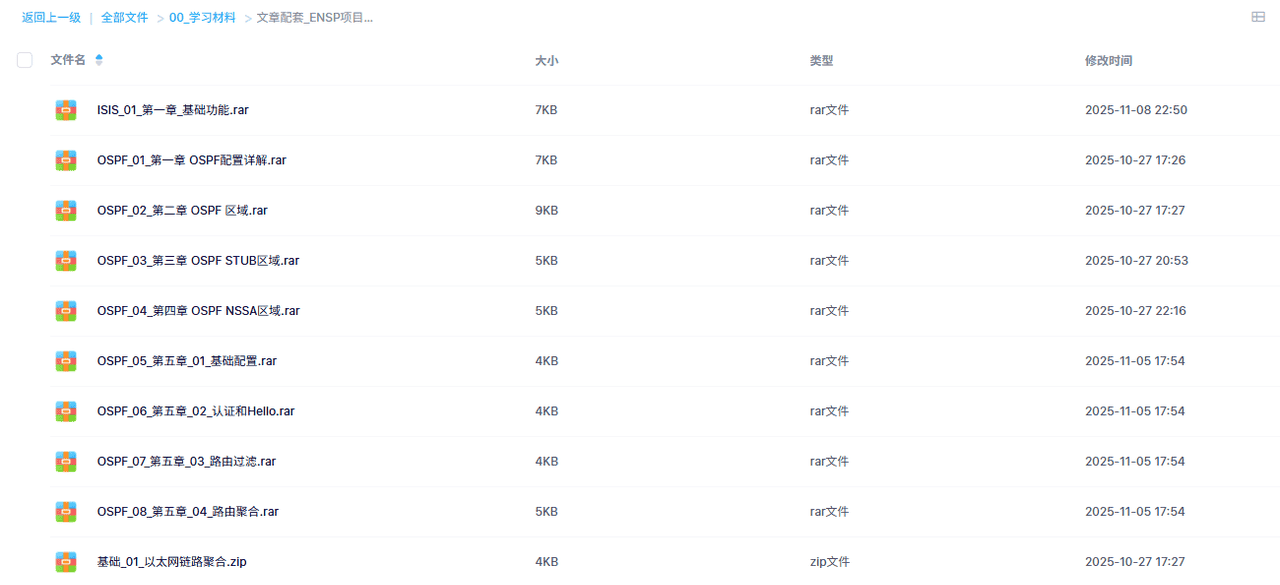
资料获取
如果您需要本期的 ENSP 模拟器数据,可以关注
微信公众号
数通工程师
ENSP文件
如果您有使用问题,也可以私信我,感谢!!!
















暂无评论内容