

在网站开发中 有的时候 会把网站的 公共的头部 公共的左导航 公共的尾部
抽取出来,然后哪里使用哪些引用 方便修改
下面 展示 通过 thymeleaf 引擎 来实现
先看官网文档介绍
www.thymeleaf.org/doc/tutoria…
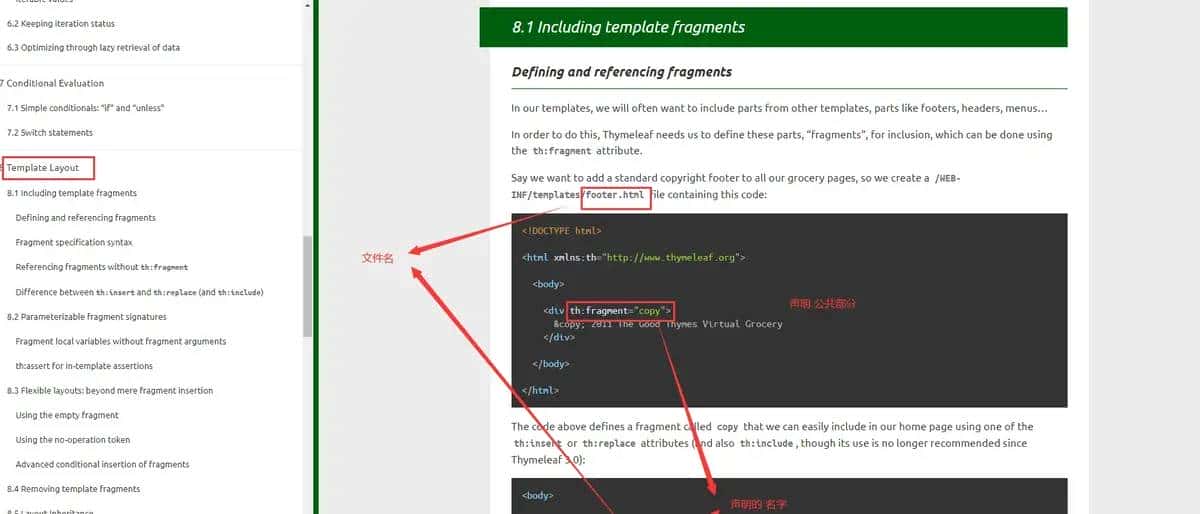
他有两种声明 公共部分的方式
方式一 th:fragment=“copy”
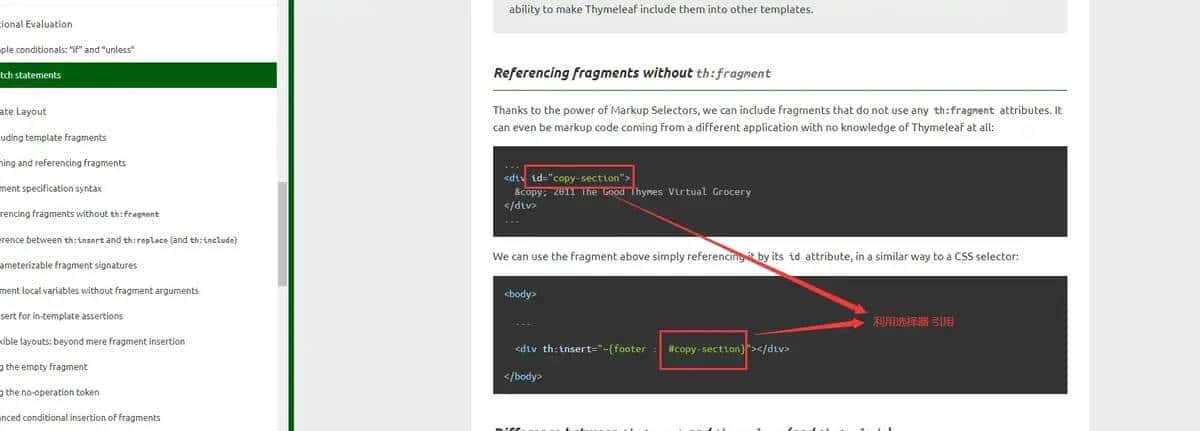
方式二 也可以直接使用 选择器 来引用
id=“copy-section”
th:insert=”~{footer :: #copy-section}
引用的时候 ~ 可以省略不写 th:insert=“footer :: copy” 这样写 也是可以的
引用公共 html 有三种方式
//方式一
 <div th:insert="footer :: copy"></div>
//方式二
  <div th:replace="footer :: copy"></div>
//方式三
  <div th:include="footer :: copy"></div>
区别
//方式一效果
<div>
<footer>
© 2011 The Good Thymes Virtual Grocery
</footer>
</div>
//方式二效果
<footer>
© 2011 The Good Thymes Virtual Grocery
</footer>
//方式三效果
<div>
© 2011 The Good Thymes Virtual Grocery
</div>
根据自己需求 选择 使用
代码实现
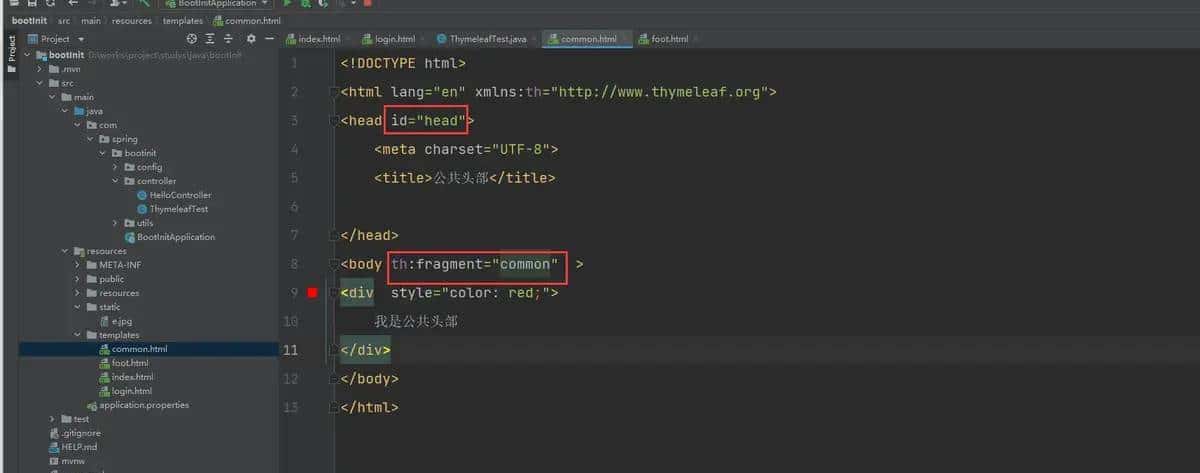
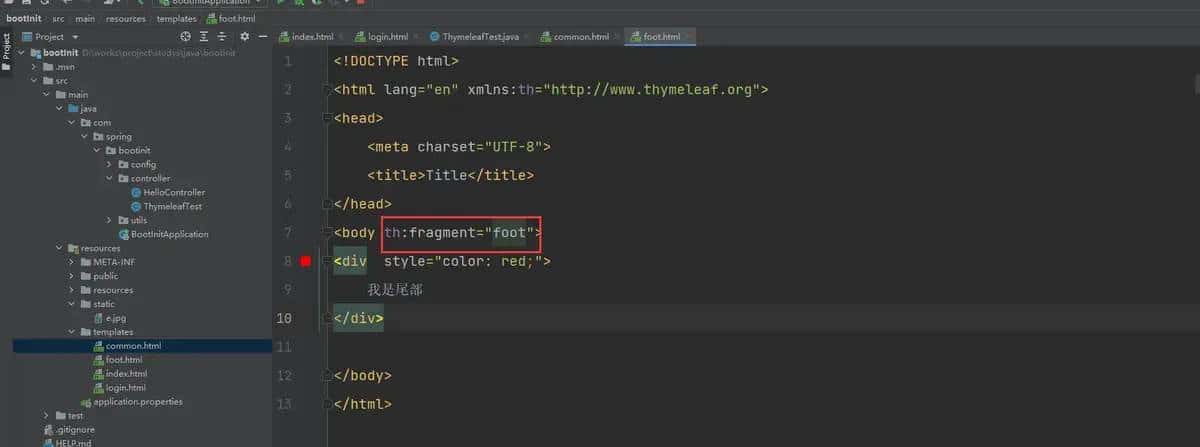
引用方式
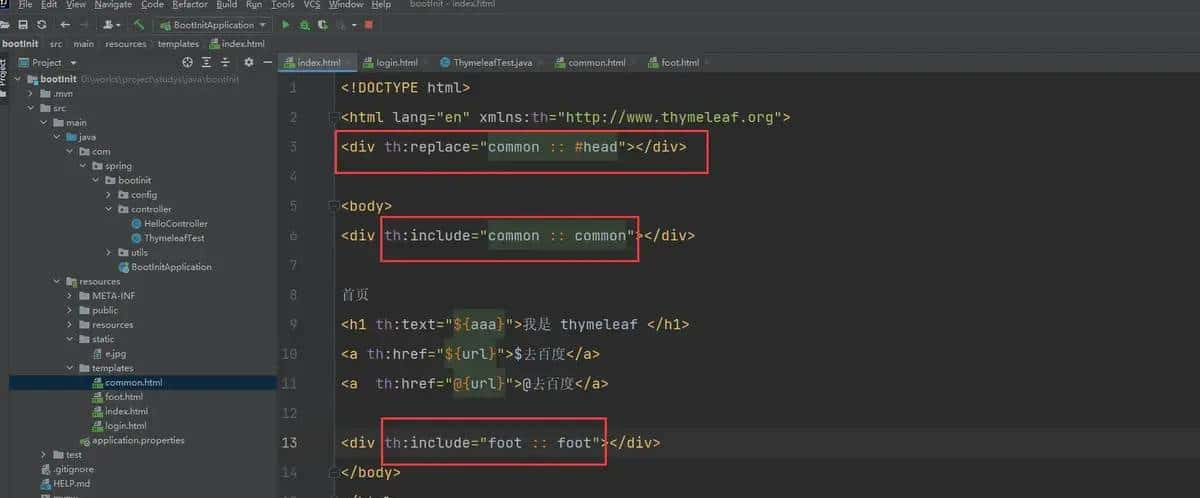
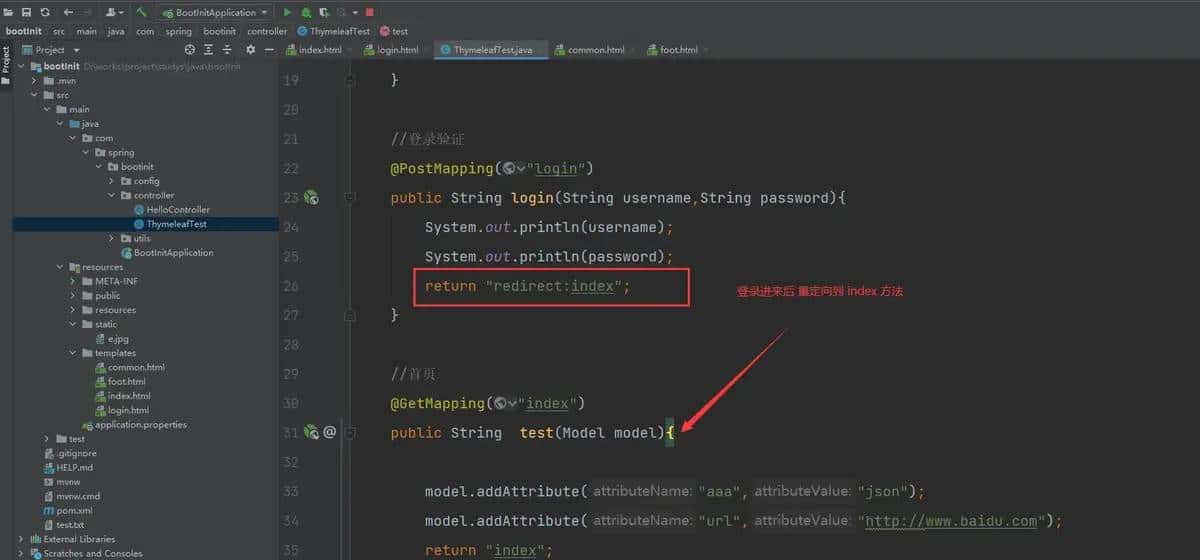
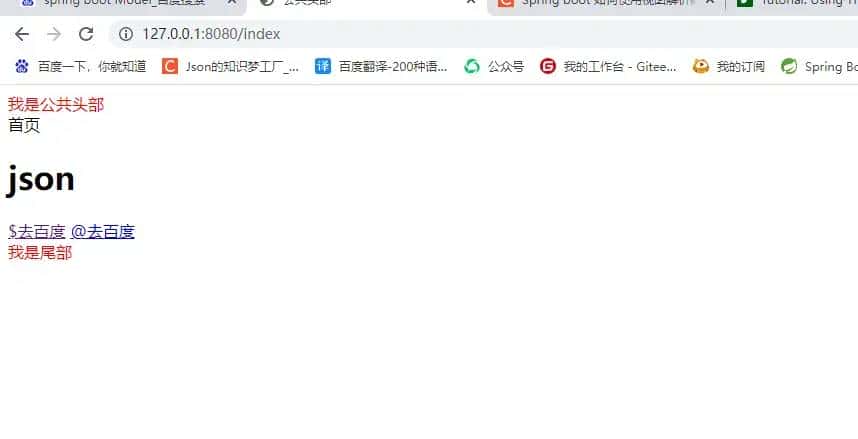
查看效果
© 版权声明
文章版权归作者所有,未经允许请勿转载。如内容涉嫌侵权,请在本页底部进入<联系我们>进行举报投诉!
THE END

![[Android]属性动画简介(三)ObjectAnimator中属性的自动设置解析 - 宋马](https://bbs.songma.com/song/img/moren.svg)















暂无评论内容