

版本 22593.1
一开始无法打开网络共享
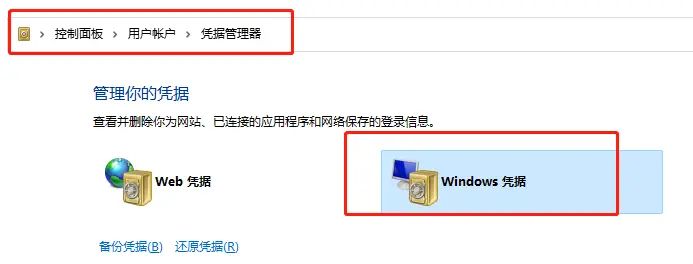
WIN11电脑上打开控制面板→用户账户→Windows凭据→添加Windows凭据:
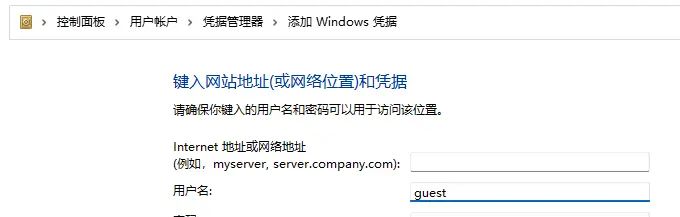
添加WIN7电脑的IP,用户名为guest,密码为空
然后在WIN10电脑上添加WIN7电脑的IP下的打印机,成功。
有些打印机依旧报错,需要自己安装一次驱动才能添加
以下注册表导入
Windows Registry Editor Version 5.00

[HKEY_LOCAL_MACHINESYSTEMCurrentControlSetServicesLanmanWorkstationParameters]

"AllowInsecureGuestAuth"=dword:00000001

[HKEY_LOCAL_MACHINESystemCurrentControlSetControlPrint]
"RpcAuthnLevelPrivacyEnabled"=dword:00000000

[HKEY_LOCAL_MACHINESoftwarePoliciesMicrosoftWindows NTPrintersPointAndPrint]
"RestrictDriverInstallationToAdministrators"=dword:00000000

[HKEY_LOCAL_MACHINESYSTEMCurrentControlSetPoliciesMicrosoftFeatureManagementOverrides]
"713073804"=dword:00000000
© 版权声明
文章版权归作者所有,未经允许请勿转载。如内容涉嫌侵权,请在本页底部进入<联系我们>进行举报投诉!
THE END



















暂无评论内容